


BNC Camera Cable Connector Types: Understanding Male, Female, and Right-Angle Options
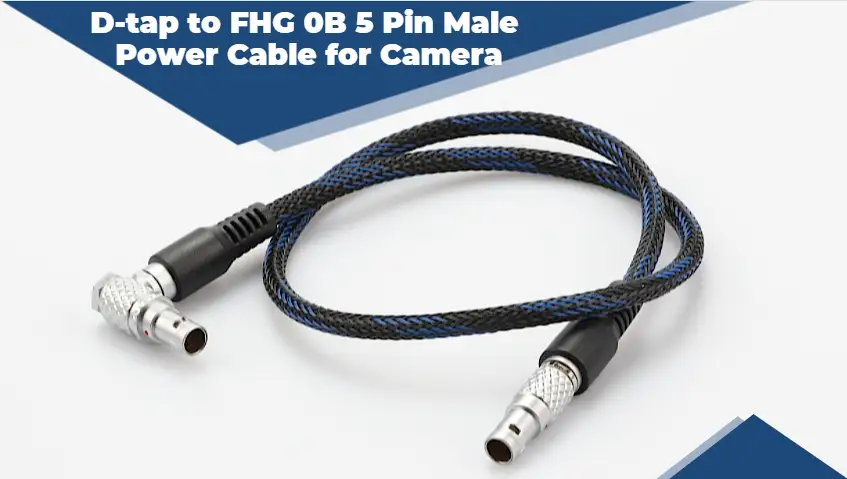
BNC connectors have been trusted in video and radio equipment for generations, and they remain a common sight in security systems, broadcast studios, and test labs. At first glance they all look similar, a round metal fitting with a twist-lock collar. Look closer, though, and you will find several variations designed for different situations. Male and female versions determine how cables and devices join together, while straight and right-angle designs affect how cables fit into tight spaces. Choosing the wrong type can leave you hunting for adapters or forcing cables into awkward bends. This article breaks down the main BNC connector types, explains what each one is for, and helps you understand which options suit your camera installation or production setup.
How the BNC Design Works
The name BNC refers to the bayonet style of locking used by these connectors. The male connector has a rotating collar with slots, and the female connector has small lugs on its outer body. When you push the two together and turn the collar about a quarter turn, the lugs slide into the slots and lock firmly in place. This makes the connection quick to make and break, yet very resistant to being pulled apart accidentally. Inside, a center pin on the male side slides into a center socket on the female side, carrying the signal, while the outer bodies connect the shield. For video applications, BNC connectors are designed for 75 ohm impedance, which keeps the signal matched to the cable and helps preserve image quality.
Male and Female Connectors Explained
Male BNC connectors are the ones most people picture first. They have a protruding center pin and the rotating locking collar, and they are usually found on the ends of cables. Female BNC connectors have a recessed center socket and fixed locking lugs, and they are typically mounted on equipment such as cameras, recorders, monitors, and patch panels. A standard video cable therefore has male connectors on both ends, allowing it to plug into female jacks on devices. There are also female cable ends and inline couplers, which let you join two cables together to extend a run. Understanding this male and female relationship makes it easier to plan your cabling, order the correct parts, and avoid discovering at the last moment that two pieces simply cannot mate.

Right-Angle Options for Tight Spaces
Right-angle BNC connectors turn the cable ninety degrees at the point of connection. This small change can be surprisingly useful. Behind a wall-mounted recorder, inside a compact camera housing, or on a crowded rack of broadcast gear, a straight connector may stick out too far and force the cable into a sharp bend. Over time, that stress can damage the cable or loosen the connection. A right-angle camera cable connector lets the cable run flat against the equipment, keeping things neat and reducing strain. MOCO, for example, offers right-angle BNC to right-angle BNC RG179 cables intended for camera use, which suits rigs where every millimeter of space matters. Right-angle ends are also helpful for cable management, since they make it easier to route cables cleanly in one direction.
Adapters, Splitters, and Specialty Variants
Beyond basic male, female, and right-angle types, there are several specialty variants worth knowing. Barrel couplers join two male-ended cables. T-connectors and Y-split cables allow one signal to feed two destinations, which can be useful for monitoring or testing, although splitting a video signal should be done carefully to avoid degrading it. Bulkhead connectors mount through panels and enclosures, giving a clean pass-through for cables. Adapters convert BNC to other formats such as RCA, which can help when older monitors or consumer equipment are involved. MOCO's range includes items like BNC split cables alongside standard assemblies. These accessories are handy, but it is wise not to rely on too many adapters in one path, since every extra connection is another point where signal loss or failure can occur.
Choosing the Right Type for Your Setup
Selecting the correct BNC type starts with looking at the equipment you are connecting. Check whether each device has female jacks, measure the available space behind it, and consider how the cable will be routed. If space is tight or cables need to exit in a particular direction, right-angle connectors are usually the better choice. Make sure the connector matches your cable size, whether RG59, RG179, or another type, and confirm it is a 75 ohm part for video. If your layout needs unusual combinations, such as a right-angle end on one side and straight on the other, a custom assembly can solve the problem neatly. Taking time to plan these details results in a cleaner, more reliable installation that is easier to maintain.
- Ask Nguza
- Food and Recipes
- Lifestyle
- Parenting
- Education
- Career & Business
- Sports
- Entertainment
- Marketing & Blogging
- Travel
- Confessions / Anonymous Talk
- Local News & Gossip
- Memes & Fun
- Art
- Hot Topics / Trending
- Causes
- Crafts
- Dance
- Drinks
- Film
- Fitness
- Food
- Games
- Gardening
- Health
- Home
- Literature
- Music
- Networking
- Other
- Party
- Religion
- Shopping
- Sports
- Theater
- Wellness
- Personal Development
- Technology
- Finance
 English
 Arabic
 French
 Spanish
 Portuguese
 Deutsch
 Turkish
 Dutch
Dutch
 Italiano
 Russian
 Romaian
 Portuguese (Brazil)
 Greek
Greek
